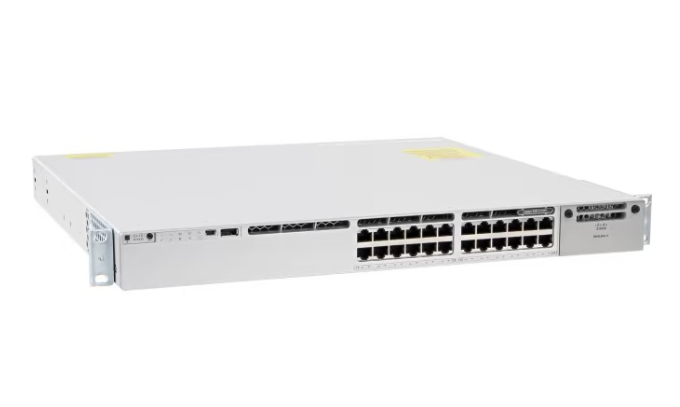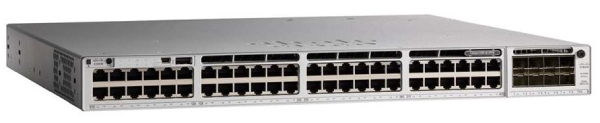
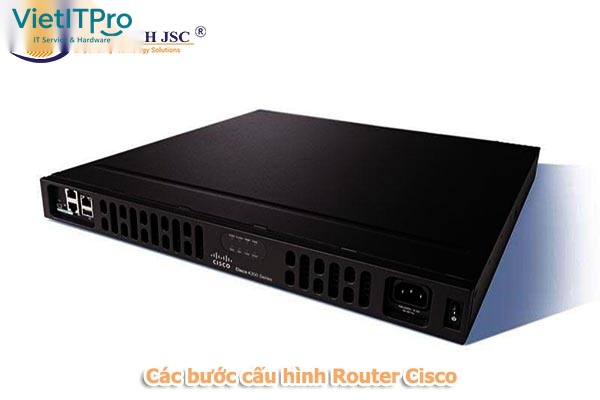
Trong hạ tầng công nghệ thông tin doanh nghiệp, Router Cisco (chạy hệ điều hành Cisco IOS / IOS-XE trên các dòng Integrated Services Router ISR 1000/4000 Series hoặc Catalyst 8000 Edge Platform) là "người gác cổng" tối quan trọng, chịu trách nhiệm định tuyến luồng dữ liệu liên mạng, kết nối Internet tốc độ cao, phân chia mạng ảo và thiết lập các chính sách bảo mật biên.
Tuy nhiên, việc cấu hình một chiếc Router Cisco mới xuất xưởng (Out-of-Box) đòi hỏi quy trình kỹ thuật chuẩn xác theo từng bước nghiêm ngặt. Việc bỏ sót các bước gia cố bảo mật cơ bản (như không mã hóa mật khẩu, mở dịch vụ HTTP không an toàn, không giới hạn quyền truy cập VTY) sẽ biến Router thành mục tiêu tấn công hàng đầu của tin tặc.
Bài cẩm nang thực tế chuyên sâu dưới đây của Kỹ Sư VietITPro sẽ hướng dẫn từng bước quy trình 6 bước cấu hình Router Cisco chuẩn mực từ dòng lệnh CLI, tích hợp đầy đủ định tuyến OSPF, cấu hình NAT Overload và Access Control List bảo vệ toàn diện.
I. Chuẩn Bị Kết Nối Vật Lý & Cáp Console Quản Trị
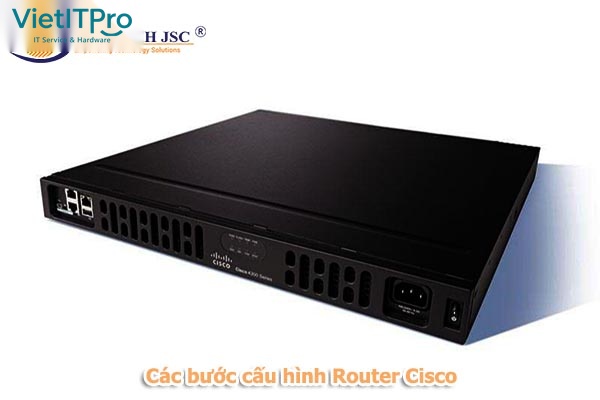
- Kết Nối Cáp Console: Cắm đầu cáp Console vào cổng
CONSOLEmàu xanh dương (hoặc cổng Micro-USB/Type-C Console) phía sau Router Cisco. - Thiết Lập Tham Số Phần Mềm Terminal (PuTTY / TeraTerm / SecureCRT):
- Baud rate (Tốc độ truyền):
9600 - Data bits:
8 - Parity:
None - Stop bits:
1 - Flow control:
None
II. Quy Trình 6 Bước Cấu Hình Router Cisco Chuẩn Doanh Nghiệp
+-------------------------------------------------------------------------------+
| BƯỚC 1: Khởi Tạo Cơ Bản & Đặt Tên Hostname, Mã Hóa Mật Khẩu Enable Secret |
| BƯỚC 2: Cấu Hình Kết Nối Quản Trị SSHv2 Mã Hóa Mạnh RSA 4096-bit |
| BƯỚC 3: Cấu Hình Cổng Mạng Nội Bộ (LAN Interface & 802.1Q Sub-interfaces) |
| BƯỚC 4: Cấu Hình Cổng Mạng Diện Rộng (WAN Interface IP Tĩnh / PPPoE / DHCP) |
| BƯỚC 5: Thiết Lập Bảng Định Tuyến (Default Route 0.0.0.0/0 & Giao Thức OSPF) |
| BƯỚC 6: Cấu Hình Dynamic NAT Overload (PAT) & Bộ Lọc Access Control List |
+-------------------------------------------------------------------------------+
Bước 1: Khởi Tạo Cơ Bản & Gia Cố Mật Khẩu Hệ Thống
Router> enable
Router# configure terminal
! Đổi tên định danh thiết bị
Router(config)# hostname Router-VietITPro-Core

! Mã hóa mật khẩu vào chế độ quản trị cao nhất Privileged EXEC
Router-VietITPro-Core(config)# enable secret P@ssw0rdVietITPro2026!

! Mã hóa toàn bộ mật khẩu hiển thị trong tệp cấu hình
Router-VietITPro-Core(config)# service password-encryption

! Vô hiệu hóa tra cứu DNS khi gõ sai lệnh CLI tránh bị treo máy
Router-VietITPro-Core(config)# no ip domain-lookup
Router-VietITPro-Core(config)# banner motd # CANH BAO: HE THONG MANG VIETITPRO - TRUY CAP TRAI PHEP BI CAM #
Bước 2: Thiết Lập Kết Nối Quản Trị Từ Xa Mã Hóa SSHv2
! Khai báo tên miền bắt buộc để sinh khóa mã hóa RSA
Router-VietITPro-Core(config)# ip domain-name vietitpro.vn

! Tạo tài khoản quản trị viên phân quyền tối cao Level 15
Router-VietITPro-Core(config)# username vietluu privilege 15 secret AdminKey@2026#

! Sinh cặp khóa RSA độ dài 4096-bit (chuẩn an toàn cao)
Router-VietITPro-Core(config)# crypto key generate rsa modulus 4096
Router-VietITPro-Core(config)# ip ssh version 2
Router-VietITPro-Core(config)# ip ssh time-out 60
Router-VietITPro-Core(config)# ip ssh authentication-retries 3

! Khóa chặt cổng VTY chỉ cho phép kết nối qua giao thức SSH (Cấm Telnet)
Router-VietITPro-Core(config)# line vty 0 4
Router-VietITPro-Core(config-line)# login local
Router-VietITPro-Core(config-line)# transport input ssh
Router-VietITPro-Core(config-line)# exec-timeout 10 0
Router-VietITPro-Core(config-line)# exit
Bước 3: Cấu Hình Giao Tiếp Mạng Nội Bộ (LAN Interface & Sub-Interface Dot1q)
! Cấu hình cổng LAN vật lý nối xuống Switch Core chạy Trunking đa VLAN
Router-VietITPro-Core(config)# interface GigabitEthernet0/0/0
Router-VietITPro-Core(config-if)# description === TRUNK LINK TO CORE SWITCH ===
Router-VietITPro-Core(config-if)# no ip address
Router-VietITPro-Core(config-if)# no shutdown
Router-VietITPro-Core(config-if)# exit

! Cấu hình Sub-interface cho VLAN 10 (Mạng Nhân Viên)
Router-VietITPro-Core(config)# interface GigabitEthernet0/0/0.10
Router-VietITPro-Core(config-subif)# description === VLAN 10 EMPLOYEES ===
Router-VietITPro-Core(config-subif)# encapsulation dot1Q 10
Router-VietITPro-Core(config-subif)# ip address 192.168.10.1 255.255.255.0
Router-VietITPro-Core(config-subif)# ip nat inside
Router-VietITPro-Core(config-subif)# exit

! Cấu hình Sub-interface cho VLAN 20 (Mạng Máy Chủ Server)
Router-VietITPro-Core(config)# interface GigabitEthernet0/0/0.20
Router-VietITPro-Core(config-subif)# description === VLAN 20 SERVERS ===
Router-VietITPro-Core(config-subif)# encapsulation dot1Q 20
Router-VietITPro-Core(config-subif)# ip address 192.168.20.1 255.255.255.0
Router-VietITPro-Core(config-subif)# ip nat inside
Router-VietITPro-Core(config-subif)# exit
Bước 4: Cấu Hình Cổng Mạng Diện Rộng (WAN Interface Ra Internet)
! Cấu hình cổng WAN nối Modem nhà mạng ISP (IP Tĩnh Doanh Nghiệp)
Router-VietITPro-Core(config)# interface GigabitEthernet0/0/1
Router-VietITPro-Core(config-if)# description === WAN LINK TO ISP PRIMARY ===
Router-VietITPro-Core(config-if)# ip address 113.161.88.22 255.255.255.252
Router-VietITPro-Core(config-if)# ip nat outside
Router-VietITPro-Core(config-if)# no shutdown
Router-VietITPro-Core(config-if)# exit
Bước 5: Thiết Lập Bảng Định Tuyến (Static Default Route & OSPF)
! Tạo tuyến đường mặc định Default Route đẩy toàn bộ lưu lượng Internet về Gateway ISP
Router-VietITPro-Core(config)# ip route 0.0.0.0 0.0.0.0 113.161.88.21

! Cấu hình giao thức định tuyến động OSPFv2 liên kết với Switch Layer 3 nội bộ
Router-VietITPro-Core(config)# router ospf 1
Router-VietITPro-Core(config-router)# router-id 1.1.1.1
Router-VietITPro-Core(config-router)# network 192.168.10.0 0.0.0.255 area 0
Router-VietITPro-Core(config-router)# network 192.168.20.0 0.0.0.255 area 0
Router-VietITPro-Core(config-router)# passive-interface default
Router-VietITPro-Core(config-router)# no passive-interface GigabitEthernet0/0/0.20
Router-VietITPro-Core(config-router)# default-information originate
Router-VietITPro-Core(config-router)# exit
Bước 6: Cấu Hình Dynamic NAT Overload (PAT) & Sao Lưu Cấu Hình
! Tạo Access List định nghĩa các dải mạng nội bộ được phép ra Internet
Router-VietITPro-Core(config)# ip access-list standard NAT-PERMIT-LAN
Router-VietITPro-Core(config-std-nacl)# permit 192.168.10.0 0.0.0.255
Router-VietITPro-Core(config-std-nacl)# permit 192.168.20.0 0.0.0.255
Router-VietITPro-Core(config-std-nacl)# exit

! Áp dụng lệnh NAT Overload qua cổng WAN GigabitEthernet0/0/1
Router-VietITPro-Core(config)# ip nat inside source list NAT-PERMIT-LAN interface GigabitEthernet0/0/1 overload

! Lưu toàn bộ cấu hình từ bộ nhớ RAM sang bộ nhớ Flash NVRAM vĩnh viễn
Router-VietITPro-Core(config)# exit
Router-VietITPro-Core# copy running-config startup-config
Destination filename [startup-config]? [Enter]
Building configuration...
[OK]